
What's new
New in File Explorer: view PDFs, text, code and pictures in the app, create and extract ZIPs, Trash with restore, multi-select to copy, move, trash or zip, Properties, Share, Bookmarks, faster deletes, and the active-pane tint is back.
Screenshots


About
File Explorer is a dual-pane file manager for Android. Work with two folders side by side: tap a pane to make it active, drag the middle strip to resize the panes or push it aside for a single pane. The bottom bar gives Back, Forward, New folder, Swap panes and Up.
Tap the menu button for the drawer: Root Directory and Storage Directory with live capacity bars, plus Go to, Trash, Installed apps and Help. Swipe the top bar down for the info panel - full path, folder and file counts, sort order and disk space.
Tap a folder to open it. Tap a file to open it: ZIPs, text and photos open inside the app, everything else in its usual app. Long-press a file for the full menu - open, copy or move to the other pane, rename, share, properties and more. Moves ask first, and nothing is ever overwritten without asking.
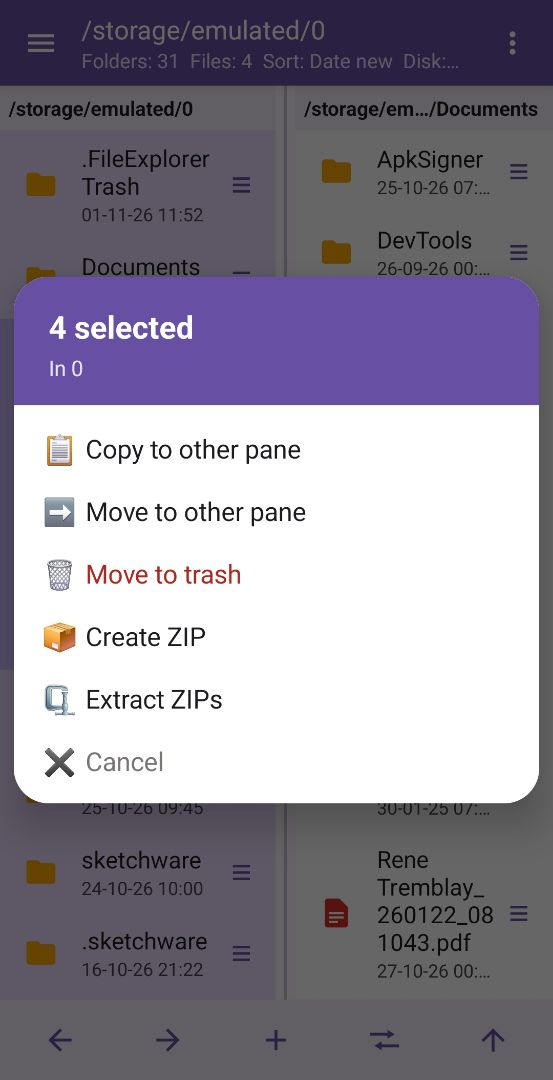
Select multiple files to copy, move, trash or ZIP them as one. With exactly two files selected, Compare checks them byte for byte. Drag a file - or a whole selection - onto the other pane and choose Move or Copy.
Sort by name, date, type or size, and search by name or date. Text files open in a viewer with line numbers and an editor; photos show their EXIF details.
Long-press a file and open Tools to split or merge large files, encrypt and decrypt with a password, swap two file names, export a folder listing, or pin a home-screen shortcut to any file or folder. Deleted files wait in the Trash until you restore them or empty it.
©2026 Sketchub | User Policy