
What's new
Added Share Tracking project with modern UI, Success/Cancelled/Error status detection, improved Java code, beginner-friendly implementation, cleaner design, and updated documentation. Join: https://t.me/seekhotech_in
Screenshots
About
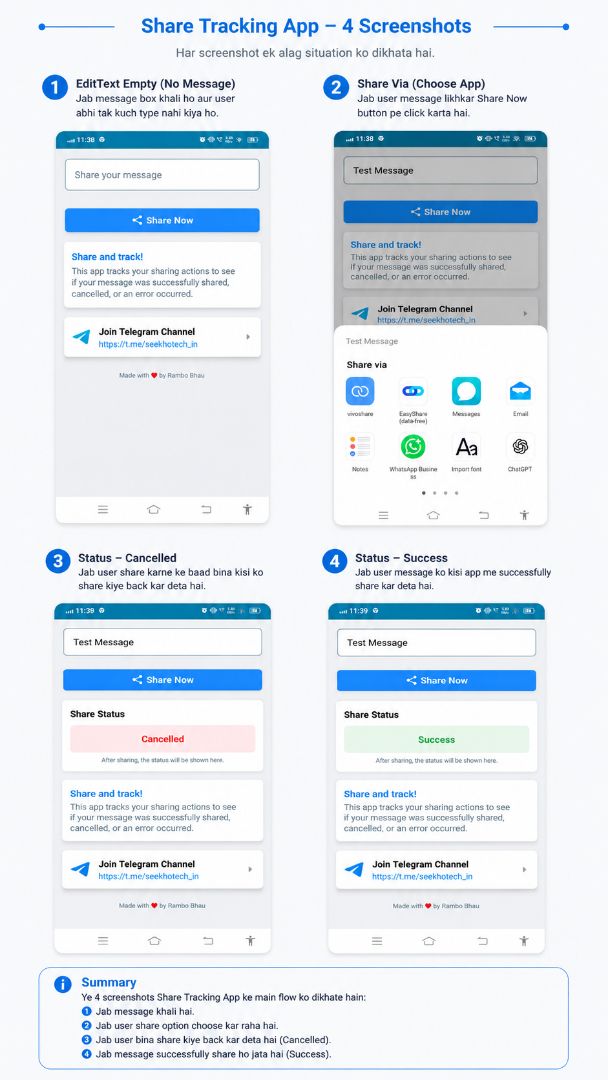
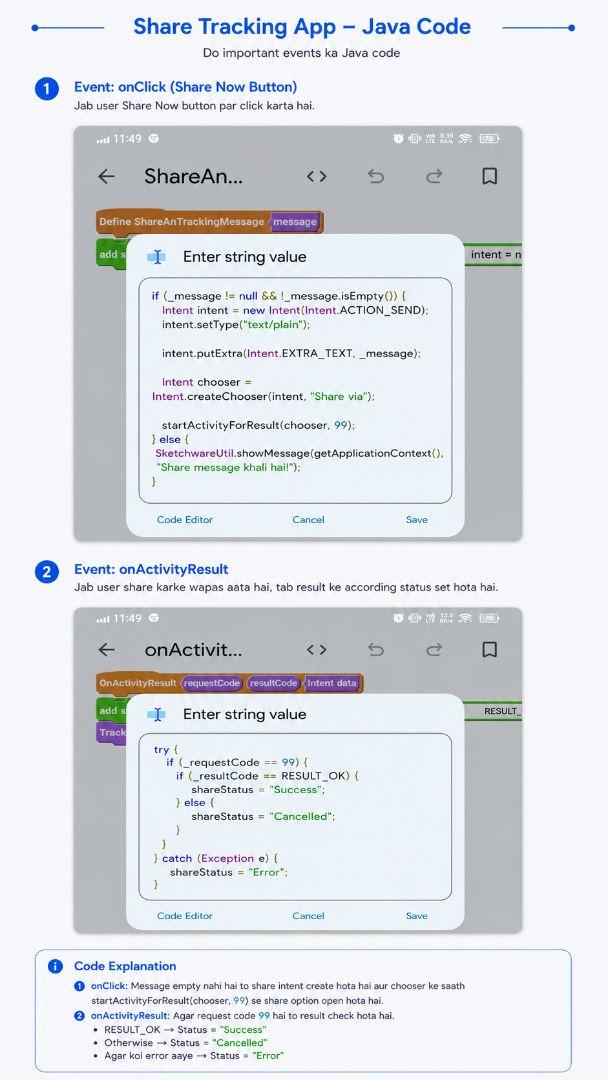
Share Tracking is a simple and useful Sketchware Pro project that demonstrates how to track the result of Android's Share Intent. This project allows users to share any text message and automatically detects whether the sharing process was completed successfully, cancelled by the user, or failed due to an error. It is perfect for beginners who want to learn how startActivityForResult() and onActivityResult() work in Sketchware Pro.
Features:
• Share text using Android Share Intent • Success, Cancelled, and Error status detection • Clean and modern Material UI • Simple Java code with comments • Easy to understand and customize • Beginner-friendly Sketchware Pro project • Ready to use in your own apps
How It Works:
Enter a message in the text field.
Tap the Share Now button.
Choose any app from the Android Share Sheet.
If the message is shared successfully, the status becomes Success.
If the Share Sheet is closed without sharing, the status becomes Cancelled.
If an unexpected error occurs, the status becomes Error.
Telegram Channel: https://t.me/seekhotech_in
Join the Telegram channel for more Sketchware Pro projects, source codes, tutorials, and Android development updates.
©2026 Sketchub | User Policy